top of page
Ice Slider
Solo Developed with Unreal Engine 5 (Game and Level Design)
2D side scrolling platformer
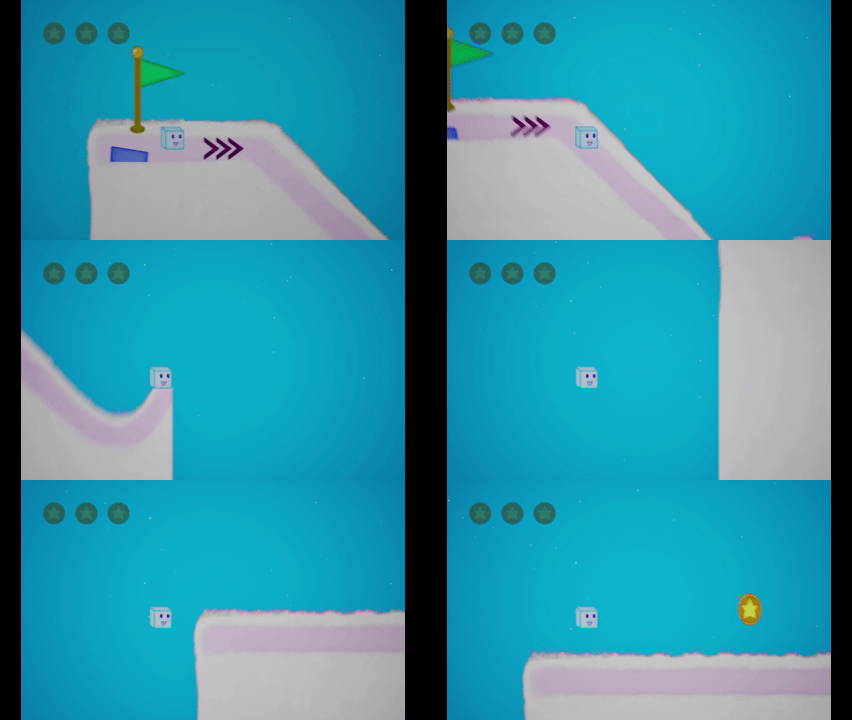
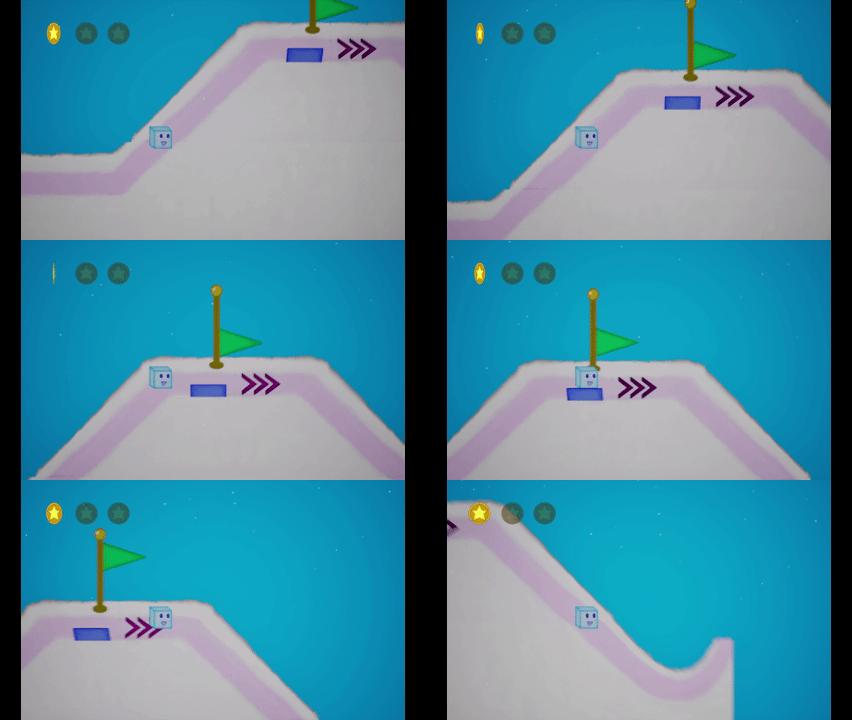
I created a mechanic where the character cannot stop once they start moving- only speed up slow down and jump (this was to give the feel of slippery ice). I designed and created levels with different types of platforms, a checkpoint and fail system and instance remembered collectables.
Link to Ice Slider Design Process
Try Game
Project type
2D Side scrolling platformer
Created Using
Unreal Engine 5
Date
January, 2026

01
Ice Slider
01

02
Start Movement
Check to see if the player has moved yet and if not enables tick and starts movement. This also tells the camera to smoothly adjust to the right on the screen to allow the player to see further.
Player only needs one direction 2D movement so only the value of Y is being read and setting the variable used on Event tick to add movement.
Player only needs one direction 2D movement so only the value of Y is being read and setting the variable used on Event tick to add movement.

03
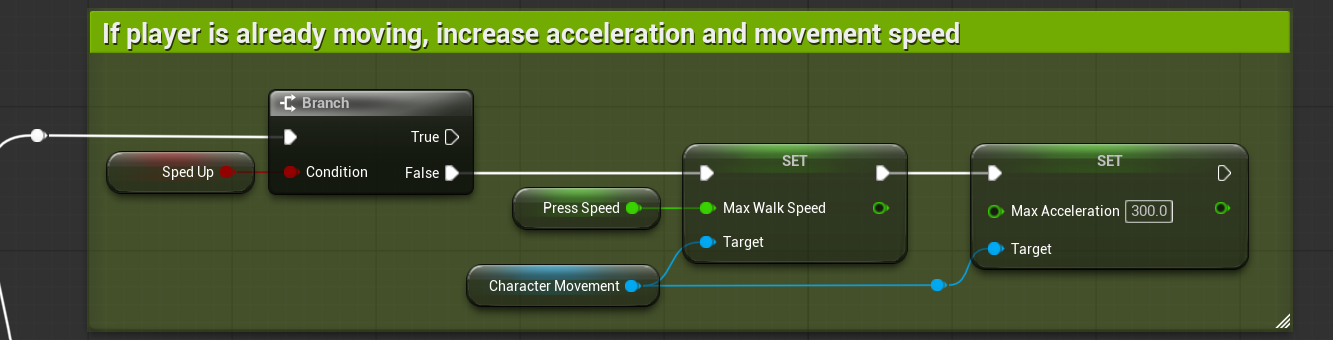
Accelerate Logic
The acceleration values are tweaked alongside the walk speed variable to create a natural acceleration effect.
*the SpedUp check is to see if the player is currently affected by an acceleration pad.
*the SpedUp check is to see if the player is currently affected by an acceleration pad.

04
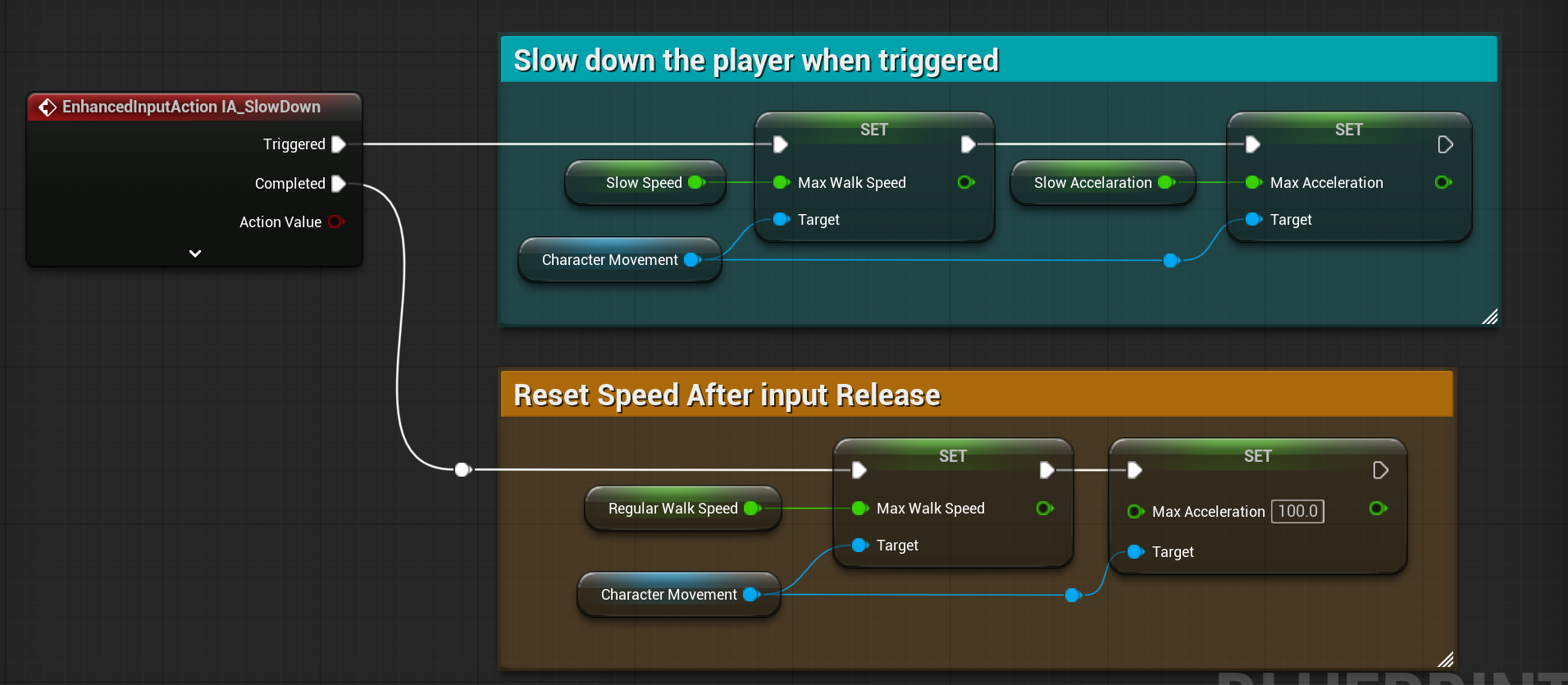
Reset Speed on input Complete Logic
When input is released, it resets the speed & acceleration to the starting values.

05
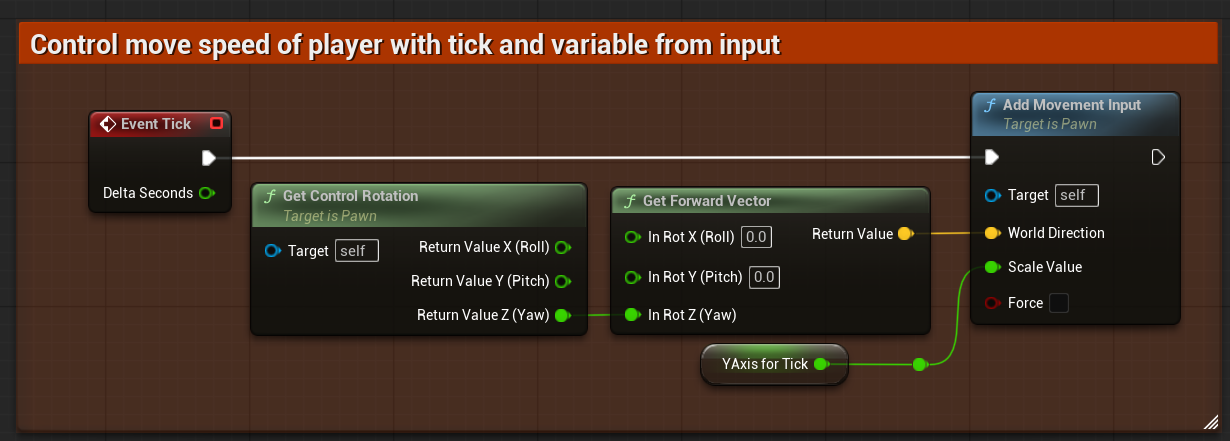
Move on Event Tick
Event Tick takes the current value of the players Y input and adds movement based on that value continuously.

06
Decelerate Logic
Controls for the player decelerating. When pressed the movement values are reduced and when released they are return to normal.

07
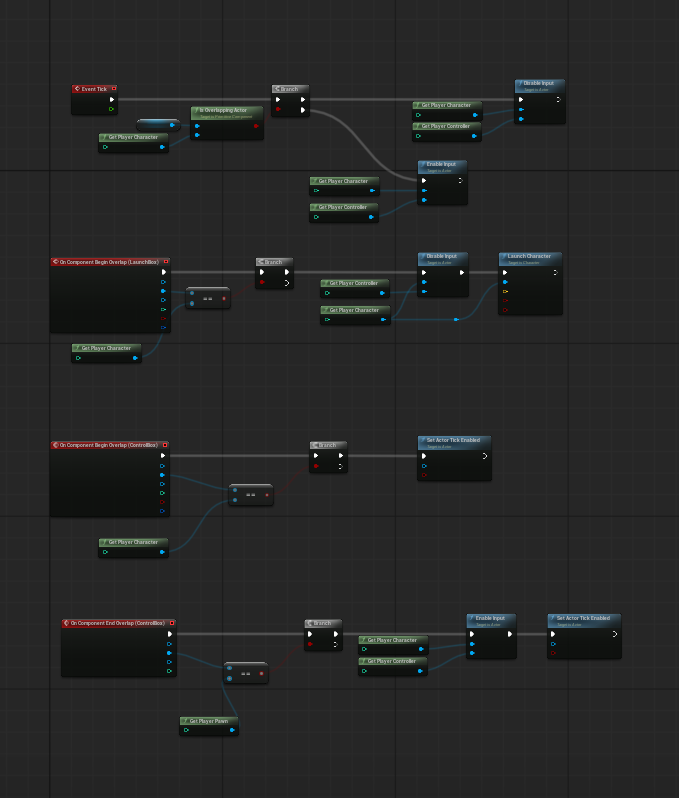
Ramp Jump Logic
The ramp makes the player slide down and the get launched at the end of the slope. To make sure the player cannot ruin the momentum or launch, I disable their input and tick the moment they make contact with the slope collision box. All is reset when ending overlap.

08
Ramp Slope
These are the slopes that take control of the player and launch them an instance editable amount.

09
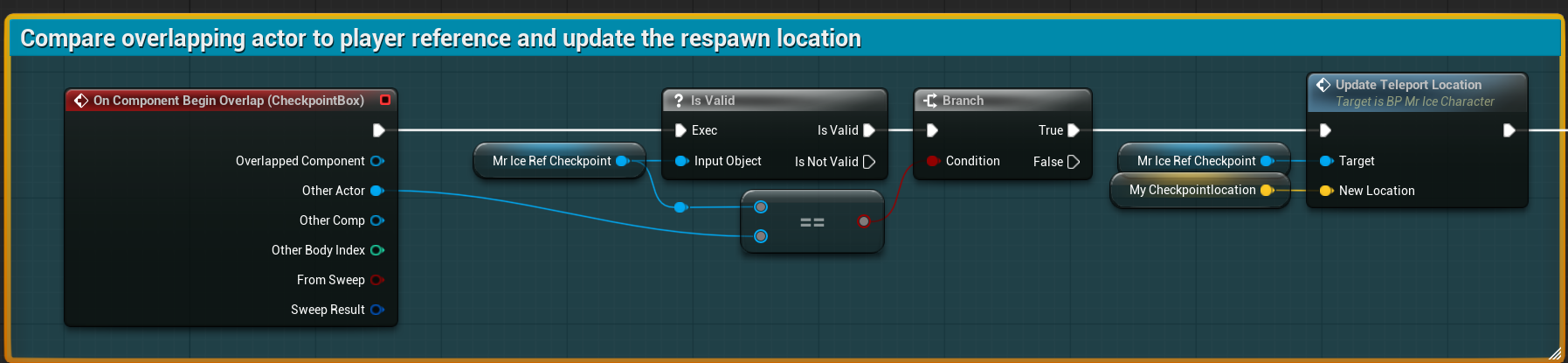
Checkpoint Activated Logic
The checkpoint takes the character reference created on begin play and compares it to the overlapping actor, if they are equal, it calls the function from in the player to update the teleport location. The logic continues to play a sound, set this checkpoint to active, deactivate all other active ones, and play the flag animation.

10
Checkpoint Triggered
Here the player crosses the checkpoint's collision box setting the respawn location and activating the flag animation.

11
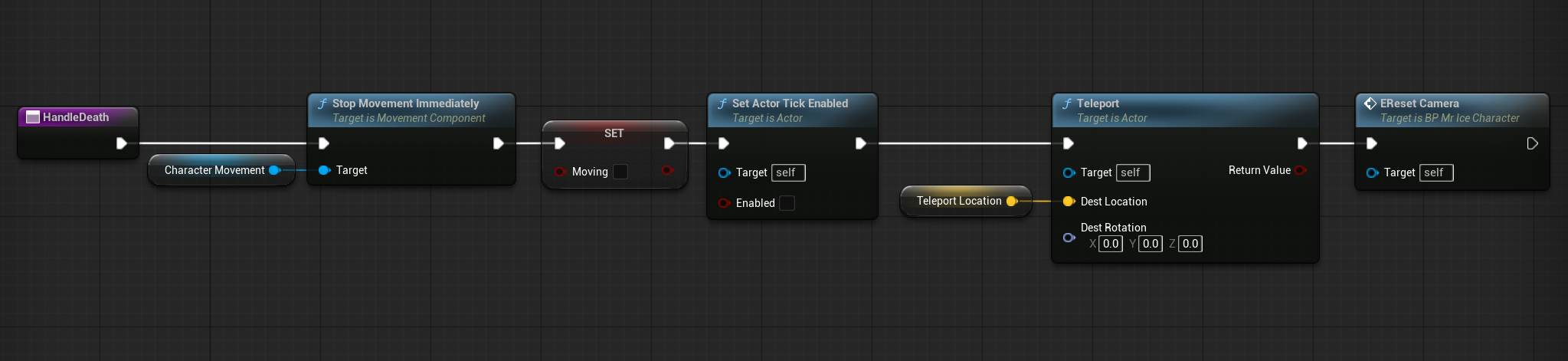
Player Reset Function
Function to handle when the player falls or gets hit- they reset location and camera angle. It also stops tick from updating the movement and set the Boolean for bMoving to false.

12
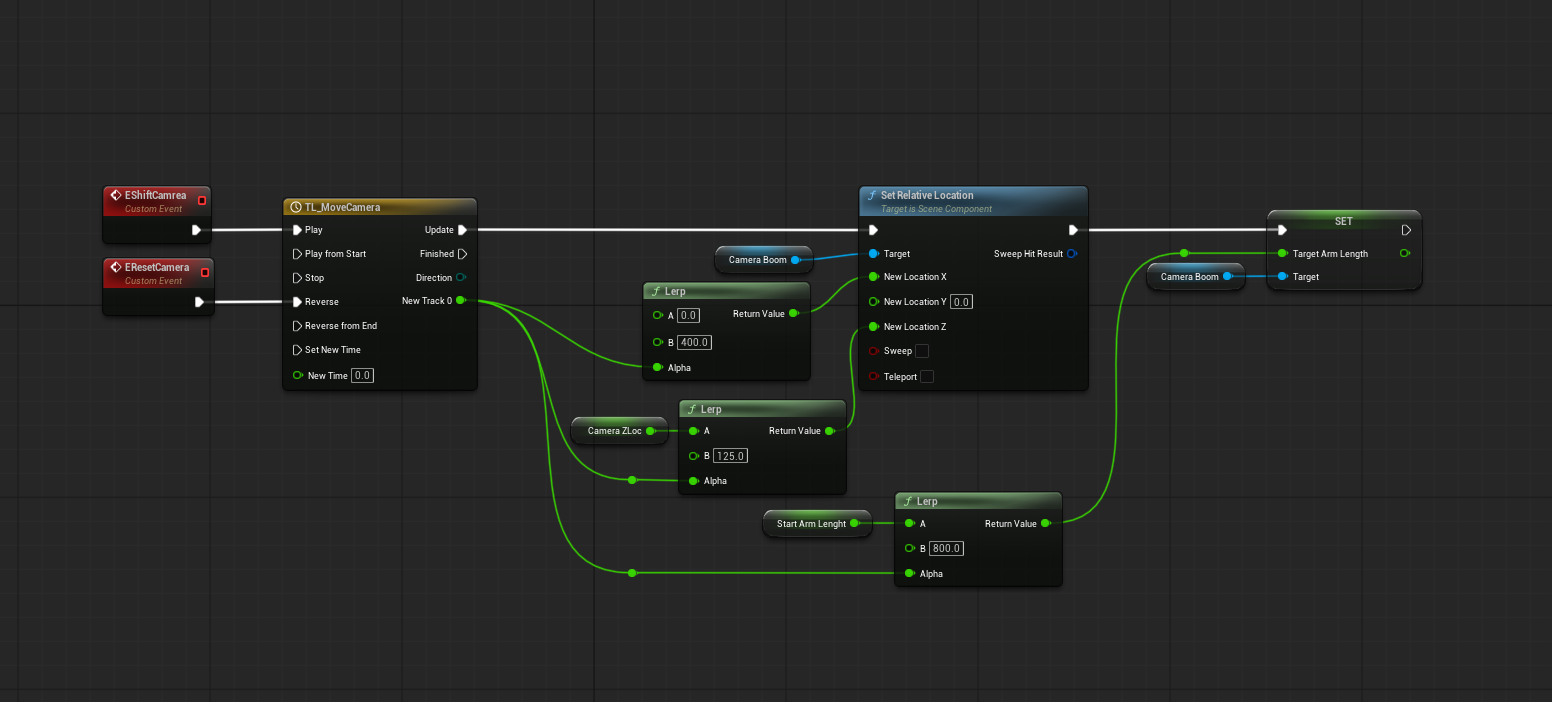
Camera Timeline
Logic used to smoothly transition one camera angle to the other.

13
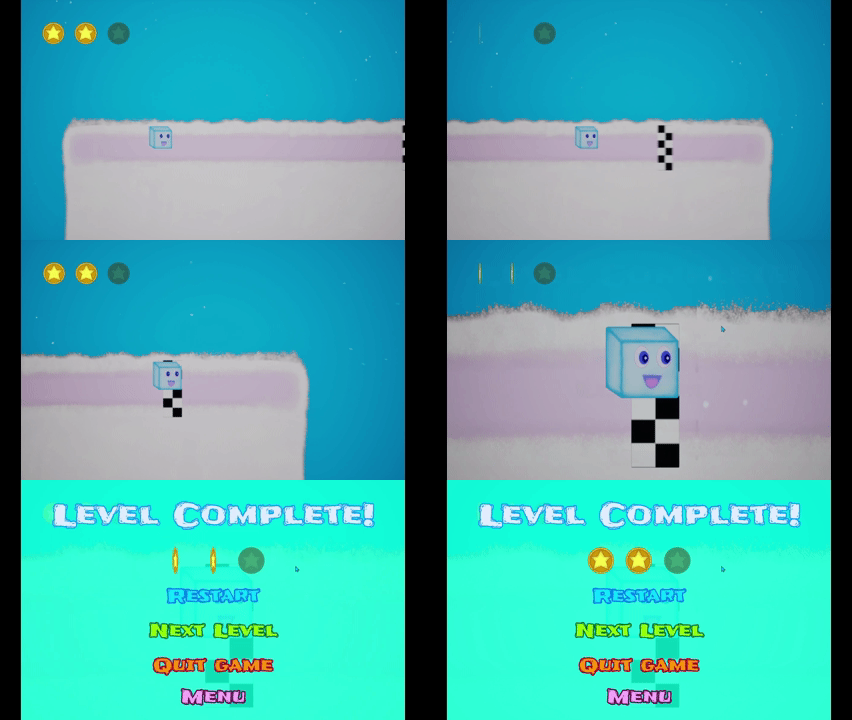
Finish Line
Finish line blueprint triggers camera shift and level complete widget. It has an instance editable level that can be set to load.

14
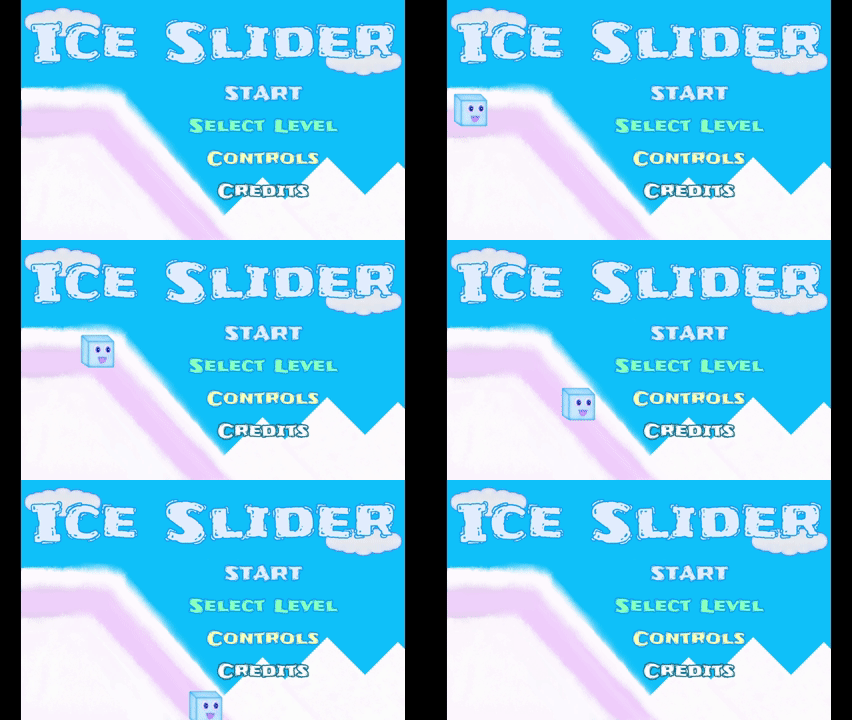
Menu Design/ UI Animation
This is the main menu widget; it has a looping animation of the character sliding with a timed "woo-hoo" to correspond.

15
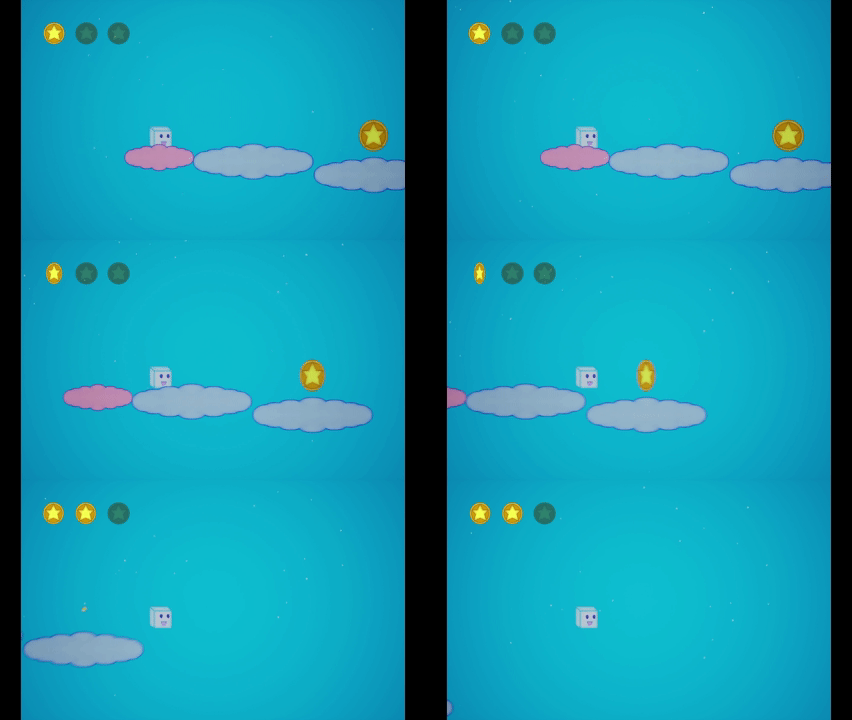
Coin Collected
Player collects one of the 3 coins they can find in each level. The 2nd coin widget updates and begins to spin.

16
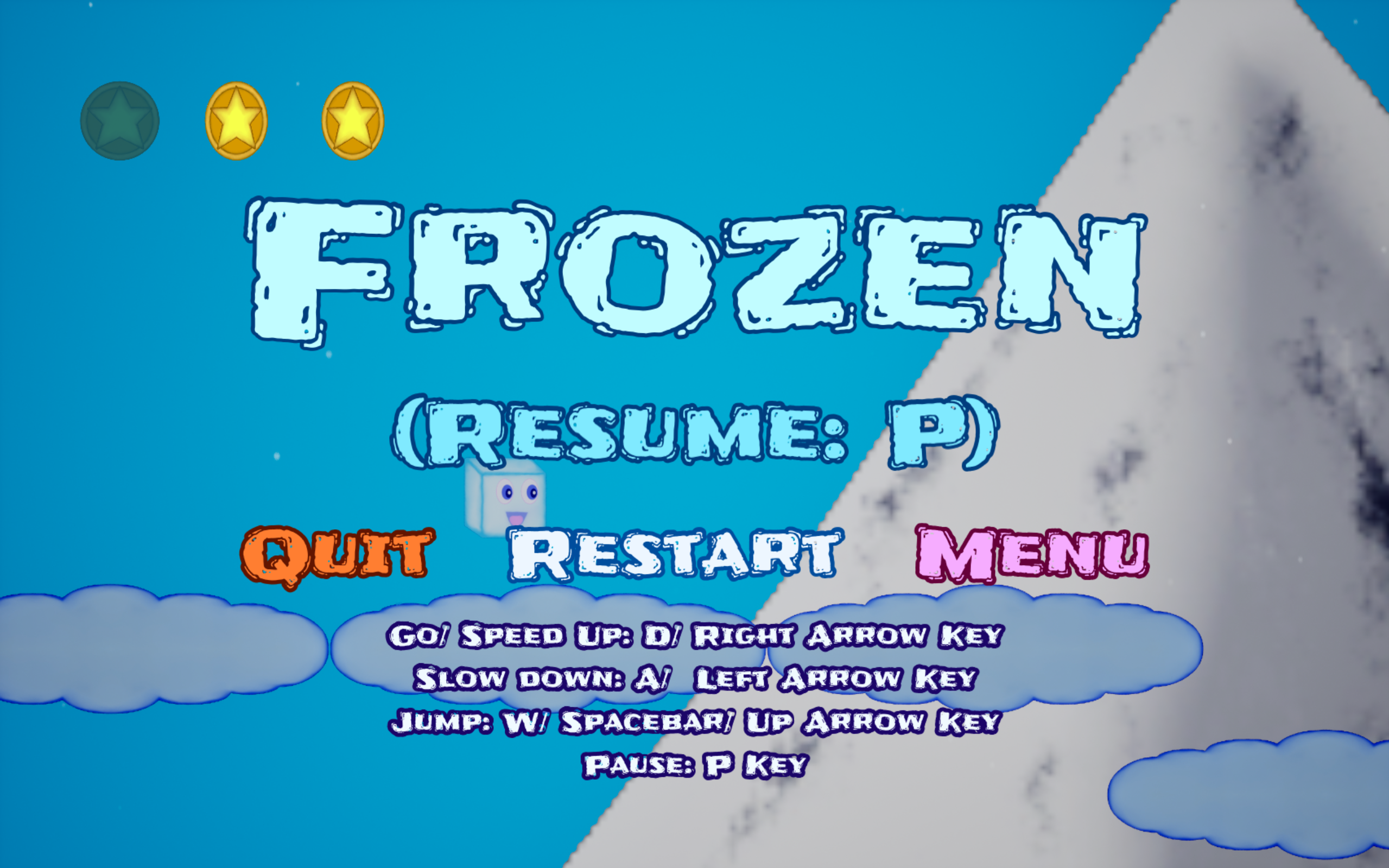
Pause Screen

17
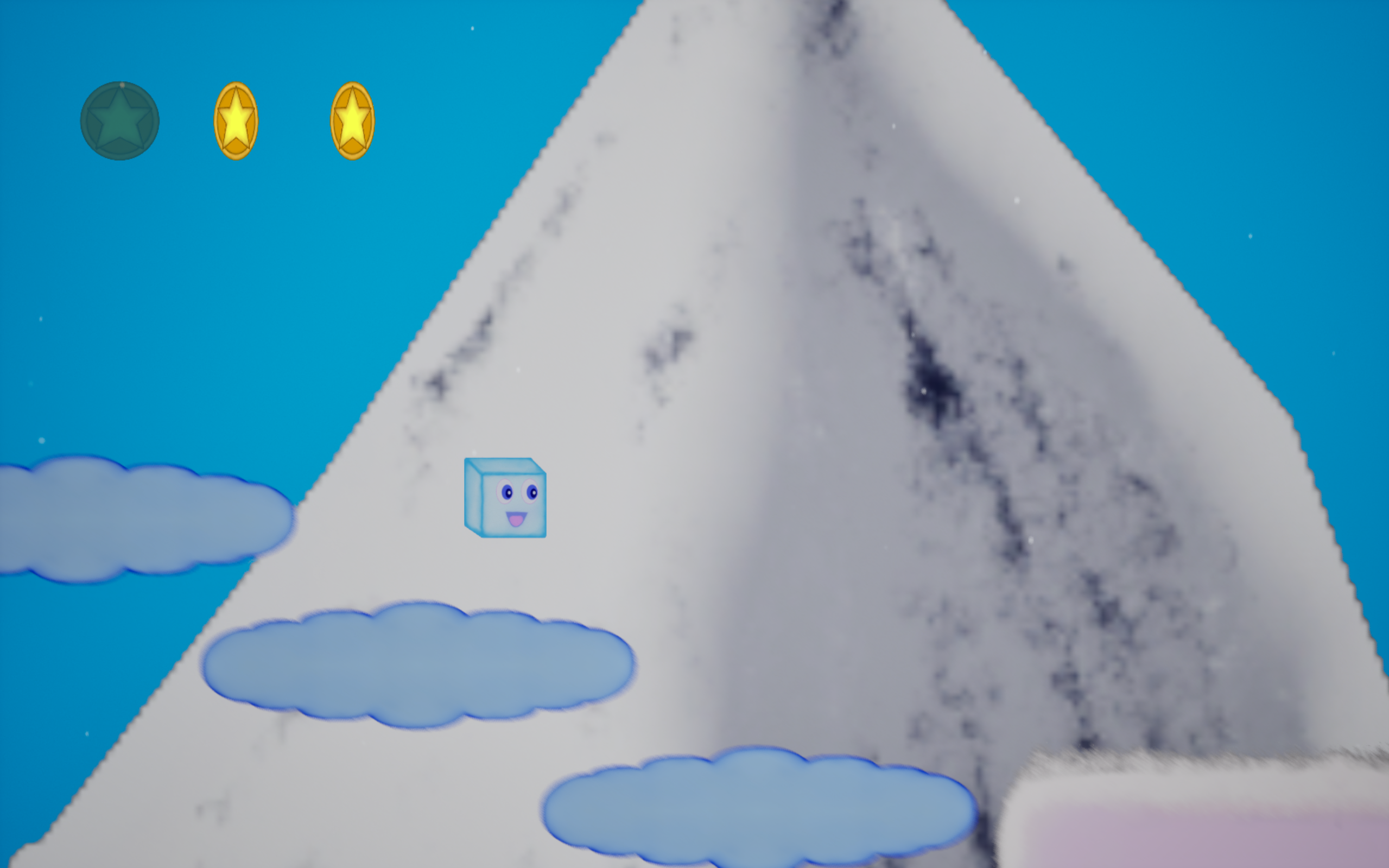
Cloud Stairs

18
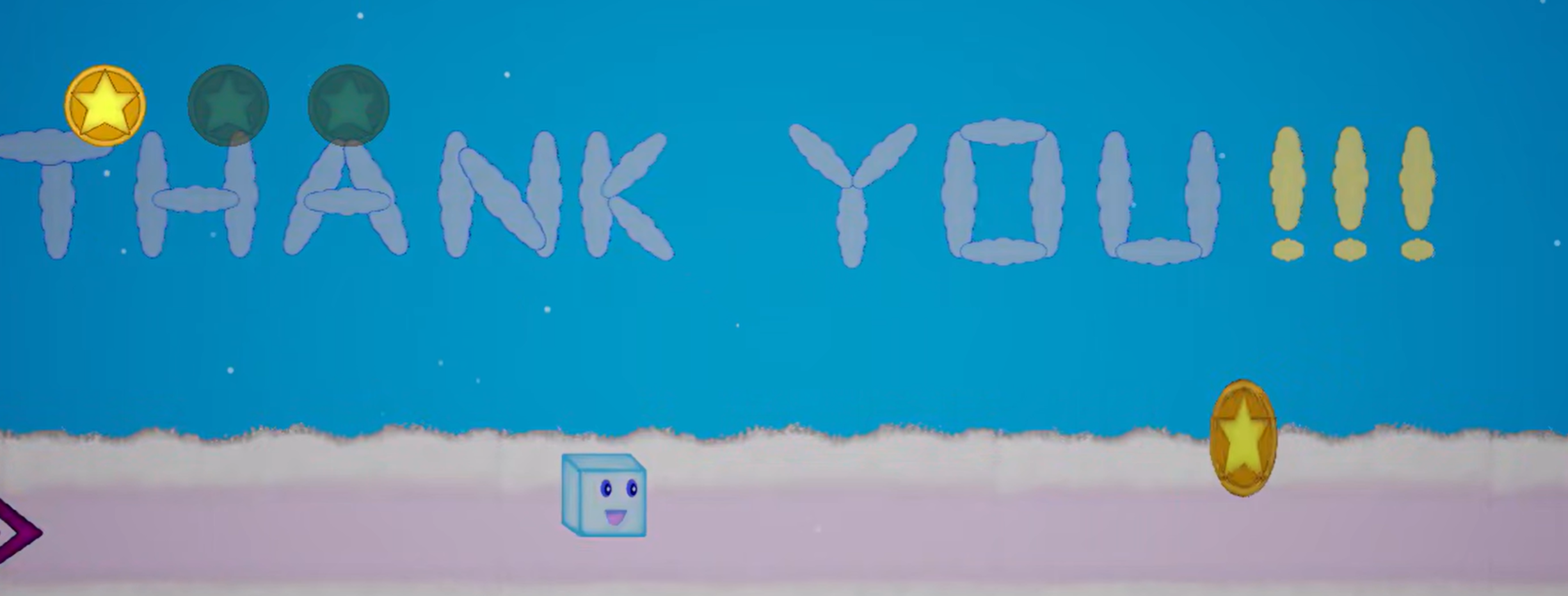
Special Thank You Level
This Level can only be reached by completing the final level and clicking next level.

19
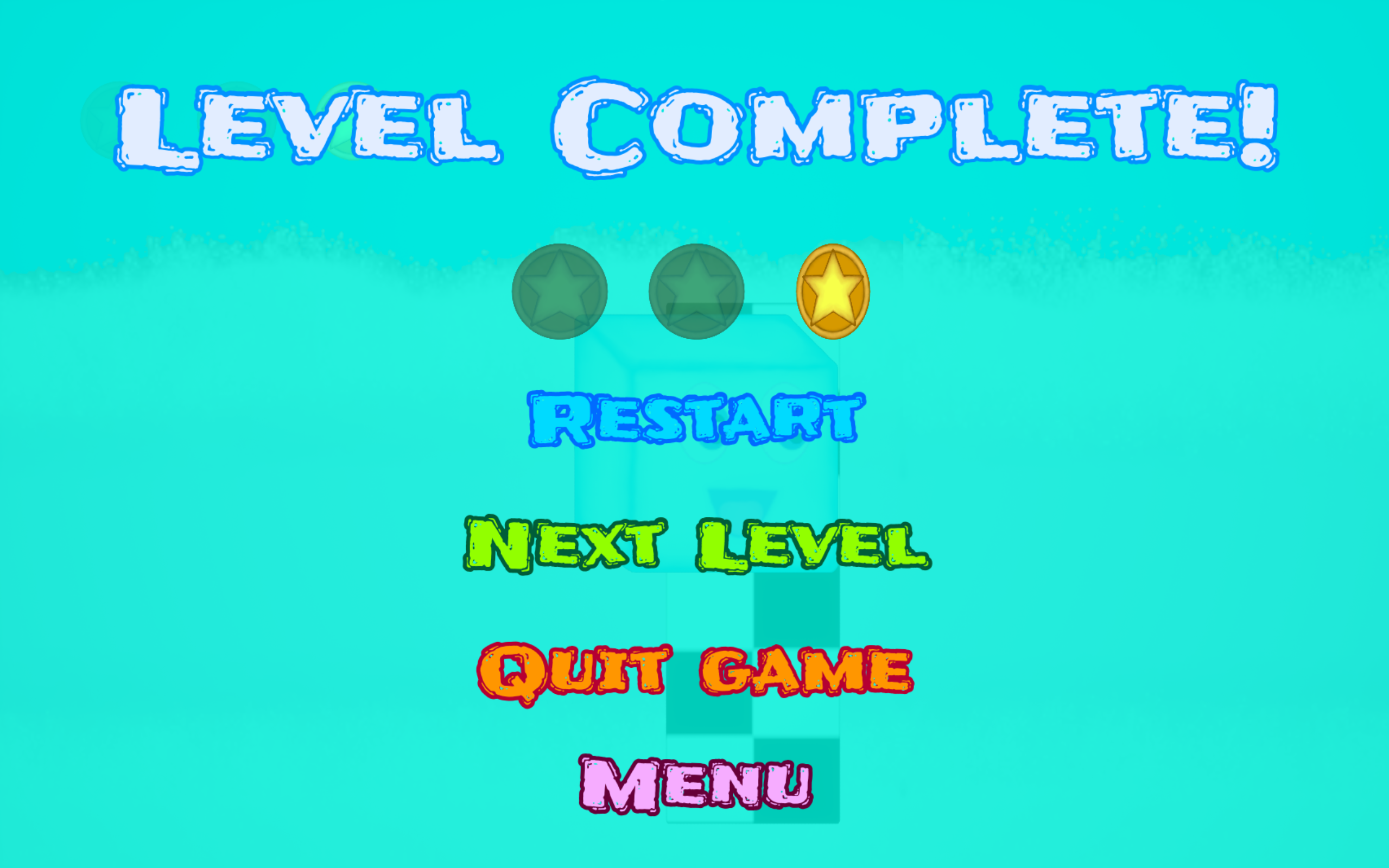
Level Completed Screen
Shows the coins you found in the level.
- Start Movement
- Accelerate Logic
- Reset Speed on input Complete Logic
- Move on Event Tick
- Decelerate Logic
- Ramp Jump Logic
- Ramp Slope
- Checkpoint Activated Logic
- Checkpoint Triggered
- Player Reset Function
- Camera Timeline
- Finish Line
- Menu Design/ UI Animation
- Coin Collected
- Pause Screen
- Cloud Stairs
- Special Thank You Level
- Level Completed Screen


bottom of page